Top 5 Things to Consider When Buying a Kiosk & Signage Solution

When it comes to purchasing an Interactive Kiosk, making an informed decision is crucial.  Not all Kiosk software and hardware is the same and there are some key features you will want to be aware of before making your decision.  

Here are the top five factors to consider, ensuring that you ask these imperative questions. This guarantees your money is well spent and your solutions represent the right software and hardware, from portable, indoor and outdoor products.


1. Hardware

Quality matters, not all hardware can withstand prolonged usage, your goal is to have a product that can provide 10 years of consistent service. While it might be tempting to go for cheaper options from various manufacturers you need to understand the risks of these products.

Many manufacturers will ship products directly from China or areas with less quality control. See below for must ask questions and things to consider as there can be several downfalls to succumbing to the price tag. 

  • Ensure screens are Tier 1 manufacturers, ELO, LG, Samsung are the strongest brands, with the best warranties and repair records
  • Hardware enclosures should be aluminum or cured steel to withstand corrosion and be durable if inside or outside use
  • External PC’s are integral to power your screens, be careful if the PC is integrated on the system board as maintenance and driver support is difficult or can cause long repair times
  • Hardware imported and not tested in the US, can have several issues with drivers especially if you have peripherals, such as cameras, terminals or readers.  Make sure you know about the support the company can provide
  • Although support is mentioned below, you need to ask the questions of how your hardware is supported if there is an issue, such as local parts, replacement times
 
Advanced and required features, future-proofed hardware, and ADA components are key parts of the longevity of your kiosk solution. There are new handicap requirements required at the state and federal mandate levels, so ensuring the ability to upgrade these units is important. 
 
Ask some questions such as:
  • How do you support next-generation technologies such as AI, Voice, Videoconferencing
  • What happens if a new technology comes out can you replace cameras or equipment inside the Kiosk 
 The design and functionality of the hardware should prioritize future-proof technology.  AI, Voice Activation, and next-generation monitoring tools are key attributes to look for.
 
ADA requirements, and impairments, vision, hearing, and physical such as wheelchair, ensure accessibility broadens your kiosk’s usability and inclusivity.
 

Last but not least:  

  • Warranty matters, most manufacturers will say it has a one-year warranty, but ask if this includes all parts and the enclosure.
  • Kiosk companies are notorious for saying their products never have an issue, but the reality is most are ill-prepared actually to service their product and find parts
  • Reputable products will provide a 3-year warranty on all parts, and if they really stand behind their product will provide up to 5 years of full replacement.  Note extended warranties will likely add some cost but it’s worth it.

As a note, cheaper solutions often come with a 1-year limited parts warranty, ask them what parts they cover and many won’t know the details. Opting for a kiosk with a comprehensive warranty offers peace of mind and protects your investment for years to come. 

2. Software

A good software experience requires the following segments below, know that many companies don’t own their software, they will use third-party products and partnerships. It’s highly recommended you work with a company that owns, manages, and supports their own software.  Partnerships are great, but future integrations and support can become a challenge, finger-pointing, changes in management and the overall partnership can impact your business.

Platform
  • Every solution should have a cloud-based platform you can access from any device for easy updates
  • This platform should be redundant showing that it is being backed up and you know how the solution is maintained and managed
  • The company should train you and support this solution to ensure your staff can make their own changes, 24×7
  • Software as a service, the ability to add on new features and grow the abilities and solutions of your kiosk software is important, ask them how often they add new features and how they deploy these features
UX/UI
  • Is it designed using Human Design or other methodologies that ensure a consistent age-connected experience such as an iPad or Apple solution?
  • Ensure you have control to customize and build experiences that reflect your goals and focused demographic
  • Ensure they understand how to design and build to support all types of users and accessibility.
Integration- Ensuring easy and automatic updates from your CRM or CMS is important so you don’t have to worry if your product is showing the right content
  • Ask how do they integrate with your existing systems, can they integrate
  • How many of your partners have they successfully integrated with, do they have case studies, check their references
  • Can they help build integrated data feeds and APIs, find out how much they know and can show you.
  • Partner relationships are key, ask how long and how many times they have integrated with your partners
  • What happens when an API breaks or a feed stops working, how do they monitor and support?
  • NOTE: Integrated solutions are superior this ensures when you update your data it automatically updates on your Kiosks and devices. Countless vendors rely on internet-dependent web overlays instead of fully integrated software.
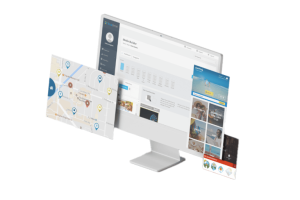


A developed program tailored to the hardware provide a smoother and more reliable user experience.  (As an example think about Apple and your mobile devices  these solutions provide a foundation to build on and integration that is tested and works, you want the same for your Kiosk and Signage solutions. 


Accessibility – Ensure your software is compliant and offers key features
  • ADA-approved software & hardware that, supports both voice and navigation
  • Language support and easy additions
  • Works offline, is not fully reliant on the internet
Security
  • GDPR and other standards are intact
  • Ensure your vendor has a software security layer over their software interface.
  • This ensures users can not access areas of the web or material outside your experience
    Access control is a big one, you do not want a Kiosk where someone can access elicit material, you need the right security and proven control
Monitoring & Support
  • Good software companies monitor both their software and hardware to help ensure issues are discovered before your users do
  • Ongoing updates are key know how they manage updates to both the Kiosk software and the PC’s or devices that store them
  • Do they offer 24×7 support, what is their track record in the resolution of issues, do they have a disaster recovery plan, this is great info to have
 
Recap: A well-designed software interface can make a significant difference. Ensuring the software is easy to use and built for your customers is important. Language accessibility and ADA requirements, ensure compliance and accessibility for all.

The ability to control content in real-time is crucial. Look for software that allows for easy updates and management of information, ensuring users have access to the latest content.


Software should allow easy integration across many software platforms, This includes seamless updates for trails, information, and other critical data, ensuring it is always easily accessible.


Choose a company that values client feedback and is committed to continuous improvement. Regular updates and enhancements based on user input can significantly improve the visitor experience over time.


3. Support

Hardware – What to look for
  • Look for a 3-year warranty, cheaper solutions offer only a 1-year limit, you need someone to stand behind their product
  • Ensure they can get parts and ask for average repair times
  • Ask how they service your location and do they have authorization to work on your screens or other key parts of the solution
Software – Some Key Questions
  • How do they manage their software what version do they own now, and how often do they update their products, this is important that you know the longevity of the product
  • Software should have reporting capabilities to show up time and functionality responses, ask them if they can show this to you
  • Connections to API’s should be managed, ask are they able to know if an API or service stops working, and if so how they repair
Monitoring
  • All software and hardware should be monitored, good companies do this 24×7
  • Security and updates on their software and the software of integration partners should be monitored and updated monthly
  • Hardware should be monitored as well, can they tell internal temperatures, are they able to detect if the hardware is going to fail, this is a big plus
Parts Replacement
  • Do they keep parts in the US and how long does it take to get a replacement part on-site, you want to be able to have these within 48 hours.
  • Does their team know how to service their products or do they use 3rd party companies, you will want to know to account for time and costs
  • Are they service authorized on the products they sell or are they just reselling and relying on others to repair your product, it’s good to know to set expectations
 

Ensure you only collaborate with vendors that offer multi-year warranties. Companies with purpose-built hardware and software can provide better support and warranties, ensuring comprehensive coverage for your kiosk.

In case of hardware issues, the vendor must provide on-site support. Usually, 72 hours is acceptable, however, you can ask for a quicker response and be prepared to pay more.


4. Security

Access Control
  • Understand how they secure your software and solution, both from platform to the software running on the Kiosk
Management of access
  • Security protocols should include SSL, and secure ways of passing information to your Kiosk, ask for there protocols and how they secure your solution
Showing websites or websites on your Kiosk
  • This is not a best practice but common on kiosks, the key is how do they stop people from getting past the web page, which can allow users to get to social media or outside your software
Pencheck, is your hardware hackable?
  • This is an advanced feature but companies that have worked with large and security-focused companies should have this certification
  • This ensures someone can not stand next to your Kiosk and hack into the hardware to take control of the software

Protecting your data is paramount. Public kiosks are vulnerable to misuse, so robust security measures are essential to safeguard against unauthorized access and use.

True Omni ensures that the kiosk experience is secure and consistent. Users cannot access unauthorized web pages or information, maintaining the integrity of the kiosk’s intended use.

Strong security measures provide Organizations and their partners with peace of mind, knowing they have made a secure and reliable investment while still prioritizing their visitor experience.

5. Solutions & Recap

Not all interactive digital signage solutions are equal. Your visitor experience is only as good as the reliability of the solution. Remember that 50% of the work needed to build and provide a good solution is after installation. As well as experienced companies know the following:

  • Relying solely on a strong internet connection is not practical

  • Knowing where your hardware comes from and how its serviced is important

  • Monitoring and ongoing support of software and hardware are key

  • Ensure proven partnerships, purpose-built analytic products and integrations

Conclusion

Investing in a kiosk involves careful consideration of hardware, software, support, and security. By choosing a reputable provider like True Omni, you can ensure a high-quality, accessible, and secure kiosk solution that enhances the visitor experience and protects your investment.

If you have questions, and would like someone to evaluate your project and vision as you consider this technology, we are here to help. We want you to make an informed and proper decision for your organization. Feel free to call, email or reach out to discuss your project and questions. Email us at Info@TrueOmni.com or 833-300-6667.

Related Posts

Case Study
Ruben Ramirez

Discover Dekalb

This project with TrueOmni provided Visit Kansas City with a modern digital engagement platform that enhances the visitor experience while

Read More »
Case Study
Ruben Ramirez

Discover Dekalb

This project with TrueOmni provided Visit Kansas City with a modern digital engagement platform that enhances the visitor experience while

Read More »
Case Study
Ruben Ramirez

Visit Kansas City

This project with TrueOmni provided Visit Kansas City with a modern digital engagement platform that enhances the visitor experience while

Read More »

Leave a Reply

Your email address will not be published. Required fields are marked *

Find out how your organization can benefit

1,000+ businesses are delivering better customer experiences, increasing revenue, or saving costs.